DSM
The single source of truth for your data model — the declarative language at the root of the build-time chain. Everything Kibo generates derives from a DSM file.
What is DSM?
DSM (Digital Substrate Model) is a small declarative DSL for describing data models — namespaces, concepts, clubs, keys, documents, attachments, and the function pools that operate on them. It is the modeling layer of the DevKit ecosystem and the entry point of the code-generation pipeline.
DSM is standalone. Authoring a .dsm file does
not require Kibo, the Viper C++ runtime, or dsviper. You can use a DSM model
as a typed contract between teams, or feed it into code generation when typed
code is needed.
The DSM
repository carries the ANTLR4 grammar (DSM.g4)
and the canonical JSON wire format — producer-neutral, implemented
independently by Viper C++, Kibo, the VS Code extension, and the JetBrains plugin.
Quick Example
namespace Graph {27c49329-...} {

concept Vertex;
concept Edge;

struct Position {
    float x;
    float y;
};

attachment<Vertex, Position> position;

};
Five Fundamental Notions
DSM rests on five notions ; the example above exercises four of them (namespace, concept, struct as document, attachment).
Namespace
A space where types are defined, identified by a UUID. The UUID seeds the RuntimeIds of every type in the namespace — no schema version to migrate.
Concept
An abstract thing in your domain — something that exists only through its instances. A concept carries no data of its own ; data lives in attachments.
Key
A typed identifier for a concept instance. key<Vertex> cannot
be used where an Edge is expected — references between entities are
type-checked.
Document
A piece of information expressible in the type system — most commonly a
struct. The data side of the model.
Attachment
The relation that binds a document type to a key type. attachment<User,
Login> login; says : every User instance may carry a Login document.
Function Pools
DSM also describes function pools — typed surfaces of operations over the model. Two flavours :
function_pool— pure, stateless utility functions.attachment_function_pool— stateful operations on the model.
Either flavour is exposed both locally (Python/C++ calls) and over the wire by a Service — the surface is the same.
Type System
DSM includes a complete type system :
- Scope :
namespace— UUID-scoped, isolating every type defined within. - Primitives : bool, int8-64, uint8-64, float, double, string, blob
- Math :
vec<T, n>for fixed-size numeric arrays (XYZ, UV…),mat<T, cols, rows>for matrices (e.g. 4×4 transforms) - Containers : vector,
xarray, set, map, optional - Structures : struct, tuple, enum
- References :
key<Concept>for type-safe foreign keys
Quickstart
From a .dsm source file, three operations cover almost everything :
# Validate the syntax
python3 tools/dsm_util.py check model.dsm

# Encode to the canonical JSON wire format — what Kibo (and every other producer) consumes
python3 tools/dsm_util.py encode model.dsm model.dsm.json

# Convenience: validate + encode + invoke Kibo with the viper template (Python package)
python3 tools/dsm_util.py create_python_package model.dsm
.dsm is the textual form developers write ;
.dsm.json is the form Kibo (and every
other producer) reads.
For real-world DSM models, the
dsm-samples
repository ships three reference models : Tuto (minimal),
Ge (Graph Editor — recommended multi-attachment pattern),
and Re (Raptor Editor — 20-file production-scale model translated
from C++).
IDE Integration
Two IDE extensions support DSM development with syntax highlighting, validation, and code completion.
VS Code
ds-dsm extension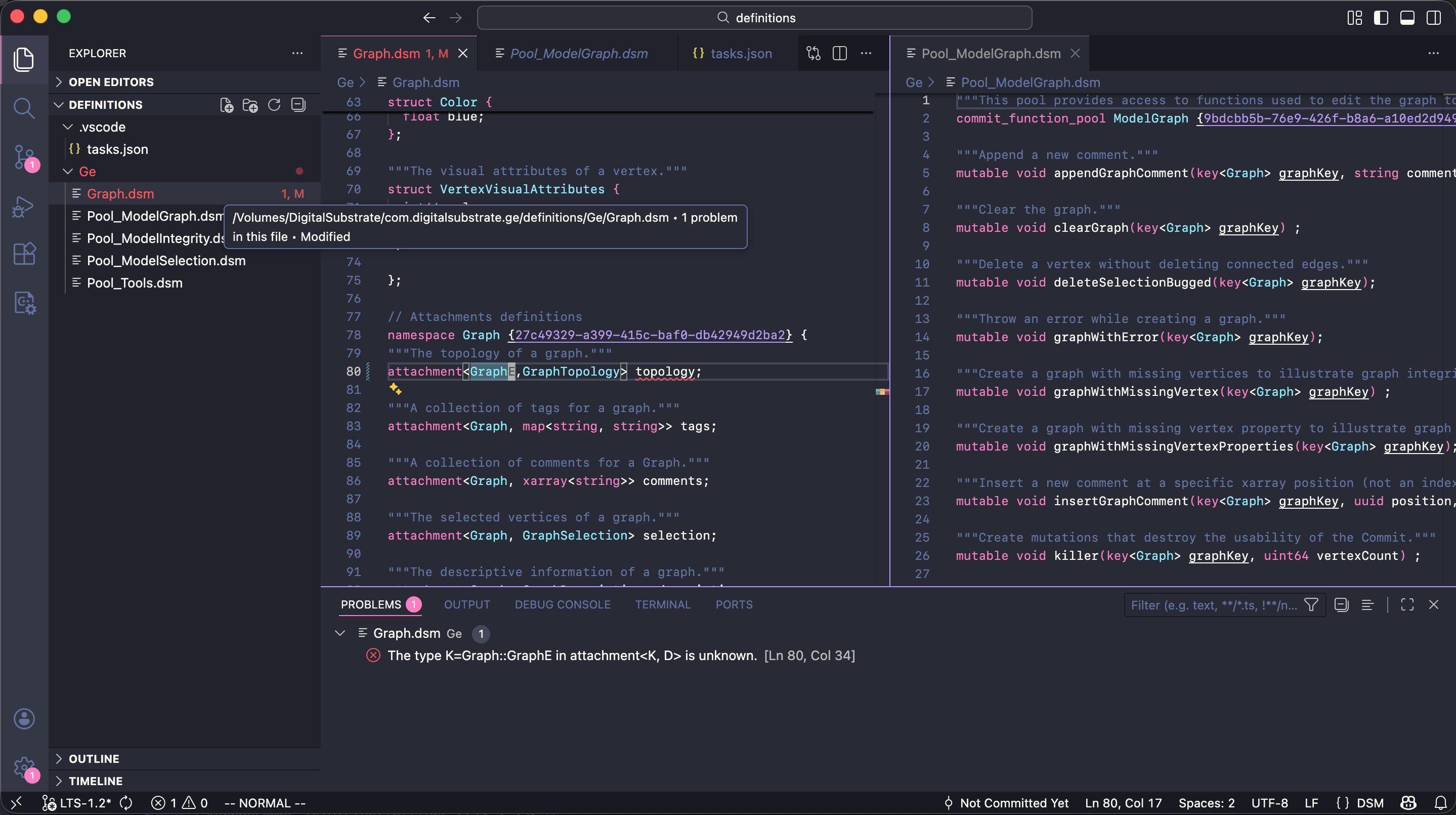
- Syntax highlighting for keywords, types, UUIDs
- Snippets for quick structure creation
- Problem matcher integration
- Theme customization support
JetBrains
IntelliJ, CLion, PyCharm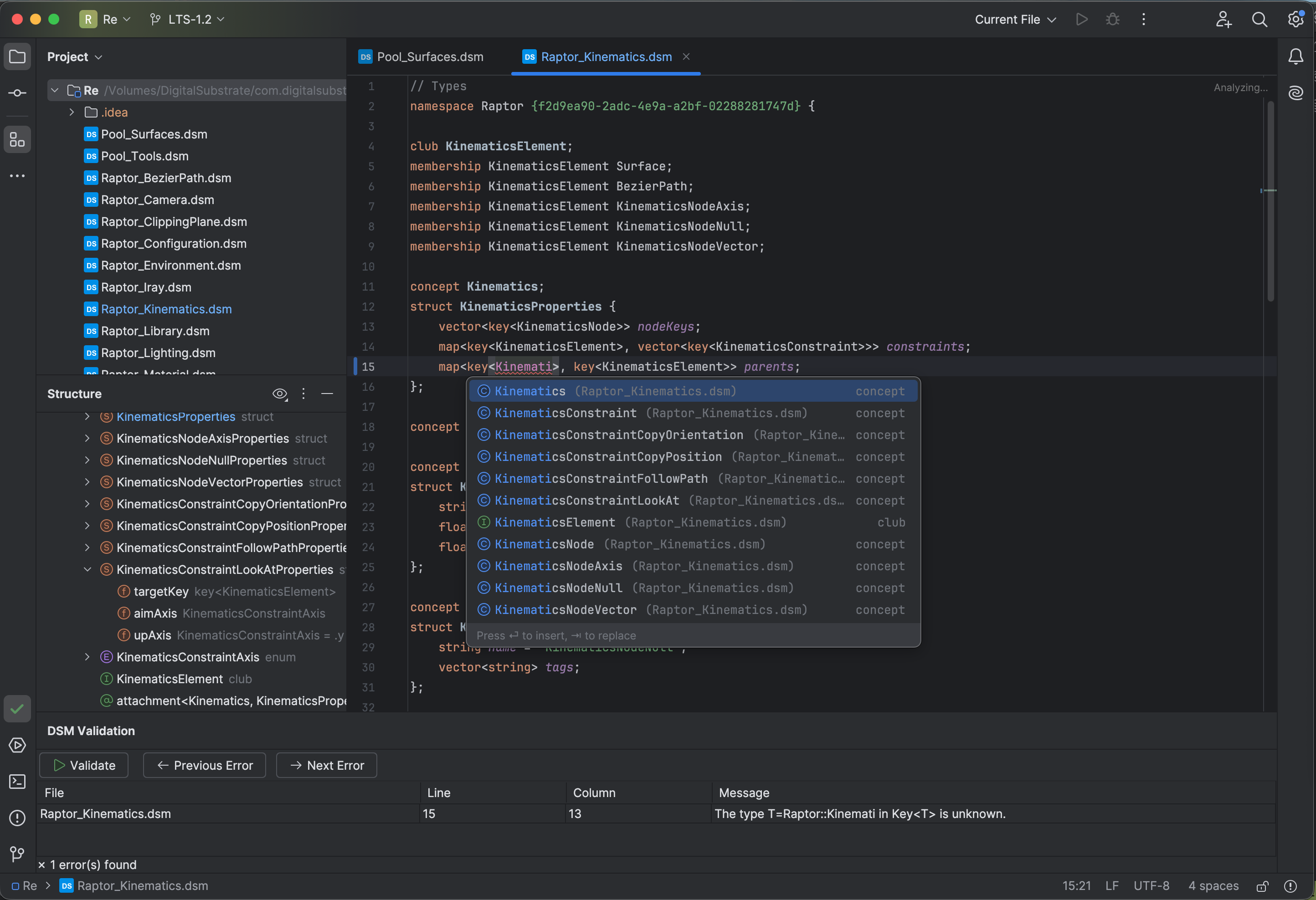
- Context-aware code completion
- Go to Definition, Find Usages
- Rename refactoring across files
- Real-time validation